
Quick answer
In the WordPress vs Wix choice, WordPress is better for most small businesses that want to grow: you own your website, it is more flexible for SEO and online stores, and the yearly cost is usually lower. Wix is better if you want a simple website quickly, you will only have a few pages, and you do not want to handle updates or backups yourself.
If you are getting your first business website, you will hear two names again and again: WordPress and Wix. Both can give you a good-looking website. But they work very differently, and the choice you make now affects your costs, your Google rankings and how easily you can grow later.
This guide compares WordPress vs Wix in plain language for small business owners in India, so you can choose with confidence.
Honest note: DZYVO builds websites on WordPress, so we have a preference. We have tried to be fair, and Wix really is the better choice for some businesses. This website, dzyvo.com, runs on WordPress. I chose it because I build WordPress sites for clients, so I wanted to use the same tools I recommend.
WordPress vs Wix at a glance
| WordPress | Wix | |
|---|---|---|
| Best for | Businesses that want to grow and own their site | Simple sites built quickly by yourself |
| Ease of use | Moderate; easier with Elementor | Very easy drag-and-drop |
| Yearly cost (small site) | About ₹3,000 to ₹10,000 | About ₹3,000 to ₹22,000 plus apps |
| You own the website | Yes, fully | No, it stays on Wix |
| Move to another company | Yes, any time | No full export; must rebuild |
| Design flexibility | Almost unlimited | Good, within Wix templates |
| SEO and blogging | Excellent, with plugins like Rank Math | Good built-in basics |
| Online store with Razorpay, UPI | Yes, with WooCommerce | Possible, often through apps |
| Updates and backups | Your job (or your developer’s) | Done by Wix |
What are WordPress and Wix?
WordPress is free, open-source software for building websites. You install it on hosting you choose (from companies like Hostinger), add a theme for the design and plugins for extra features. It is the most popular website platform in the world: according to W3Techs data, WordPress powers about 42% of all websites and about 60% of websites that use a content management system.
Wix is an all-in-one website builder. You sign up, pick a template and drag elements onto the page. Hosting, security and updates are included in your Wix plan. It holds roughly 6% of the content management system market.
Don’t confuse them: “WordPress” in this guide means self-hosted WordPress (WordPress.org), which you install on your own hosting. WordPress.com is a separate paid service from one company, and works more like Wix.
WordPress vs Wix: cost in India
WordPress software is free. You pay for a domain (about ₹500 to ₹1,500 a year) and hosting (about ₹2,000 to ₹8,000 a year for a small business website). Most themes and plugins you need have free versions.
Wix has a free plan, but it shows Wix branding, uses a Wix web address, has only 500 MB of storage and cannot connect your own domain, so it is not suitable for a business. Paid Wix plans in India start at about ₹250 a month (Light) and go up to about ₹1,800 a month (Business Elite) before GST, according to a June 2026 Indian price comparison. Prices vary by country and offer, so always check the current price on Wix’s plans page. Extra features, like some booking or Indian payment tools, can need paid apps.
For a full breakdown of what a business website costs, read our guide on how much a website costs in India in 2026.
Ease of use
Wix wins on ease of use. You can build a basic website in an afternoon without any technical knowledge, and everything is in one place.
WordPress has a learning curve, but it is much easier than it used to be. With a page builder like Elementor, you also get drag-and-drop editing. Once your website is set up, changing text, photos or prices is simple. Our Website Owner’s Handbook shows you how to make everyday changes yourself.
SEO and getting found on Google
Both platforms can rank well on Google. What matters most is good content, a fast mobile-friendly site and a complete Google Business Profile.
Where WordPress pulls ahead is control. SEO plugins such as Rank Math or Yoast let you set titles, descriptions, sitemaps, schema and redirects for every page. WordPress is also the strongest platform for blogging, which is one of the best long-term ways for a small business to get free visitors from Google. Wix covers the SEO basics well, and is enough for a small brochure website.
Ownership and moving later
This is the biggest difference, and the one most people only discover later.
- With WordPress, you own everything. If your hosting company raises prices or gives poor service, you can move the whole website to another company, usually in a few hours.
- With Wix, your website lives on Wix. Wix does not offer a full-site export. If you ever want to leave, your pages and design have to be rebuilt. Some data, like contacts, product lists and media files, can be downloaded, but not the website itself.
Online store and Indian payments
If you want to sell online, WordPress with the free WooCommerce plugin is a very strong choice in India. It connects directly with Indian payment gateways like Razorpay for UPI, cards and net banking, and supports digital downloads like ebooks. Wix also supports online stores, but you need a business plan, and some Indian payment options may need extra apps.
Maintenance and security
Here Wix is simpler: Wix handles hosting, security and updates for you. With WordPress, someone needs to update plugins, take backups and keep the site secure. This takes about 15 minutes a month, or you can ask your web developer or hosting company to do it. Good hosts include automatic backups and updates.
WordPress vs Wix: which should you choose?
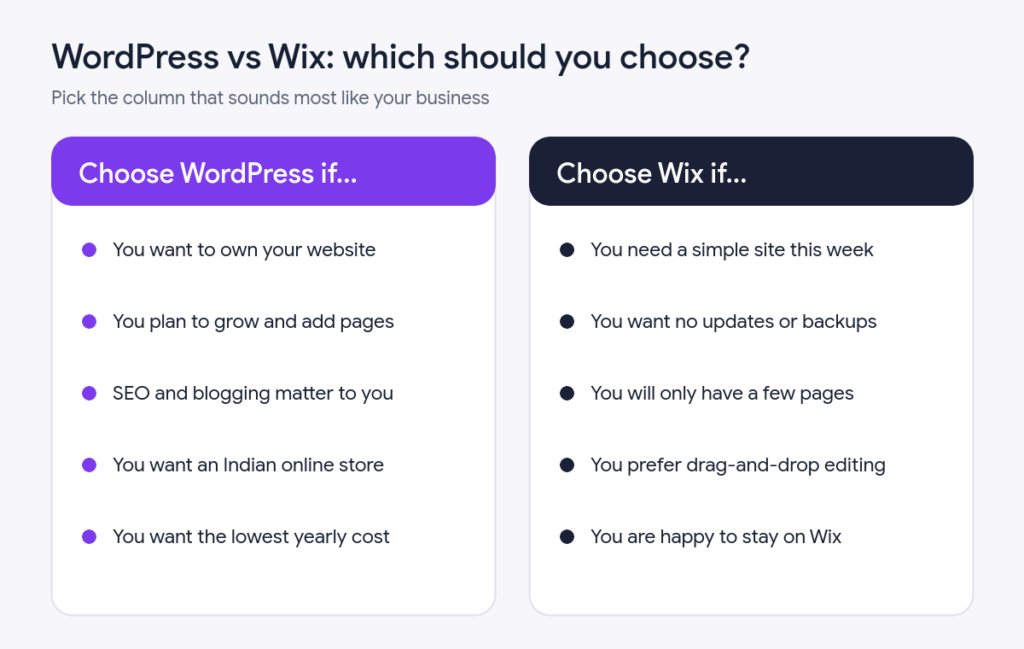
Choose WordPress if you see your website as a long-term business asset: you want to own it, add pages and blog posts over time, sell online, and get found on Google. This suits most clinics, shops, coaching institutes, consultants and service businesses.
Choose Wix if you need a small, simple website soon, want to build it yourself without learning anything technical, and do not expect to grow it much. A one-page site for an event, a personal portfolio or a very small local service are good examples.
Ready to build on WordPress?
Learn to build it yourself with our step-by-step ebook, or let DZYVO design a professional WordPress website for your business.
See our website design servicePrefer to do it yourself? WordPress from Start to Finish takes you from buying a domain to launching your site, and Elementor Mastery teaches drag-and-drop design without coding.
Frequently asked questions
Is WordPress free?
The WordPress software is free. You only pay for a domain name and hosting, plus any premium themes or plugins you choose.
Is Wix good for SEO?
Yes, Wix covers SEO basics well and many Wix sites rank on Google. WordPress gives you more control and is better for websites that will publish a lot of content.
Can I move my Wix website to WordPress later?
Yes, but not automatically. Wix has no full-site export, so the pages and design have to be rebuilt in WordPress. Some content and media can be copied across.
Which is faster, WordPress or Wix?
Both can be fast. A WordPress site’s speed depends on good hosting, a lightweight theme and a caching plugin. Wix handles speed for you but gives you less control over it.
Conclusion
There is no single winner in WordPress vs Wix for every business. Wix is the quick and easy option for small, simple websites. WordPress is the better long-term choice for most small businesses, because you own your website, keep costs low, and can grow with SEO, blogging and online sales. Think about where your business will be in three years, and choose the platform that can grow with it.
Sources: WordPress usage figures from W3Techs (via Barn2, April 2026); Wix plan features from Style Factory (August 2026); Indian Wix prices from GrabOn (June 2026); Wix export limits from Hostinger. Prices exclude GST and change often.